AI interior designer in your pocket
AI interior design, built around your room.
Start with a photo of the space you already have. Room Style AI creates a new interior direction while keeping the camera angle and architectural shell recognizable.
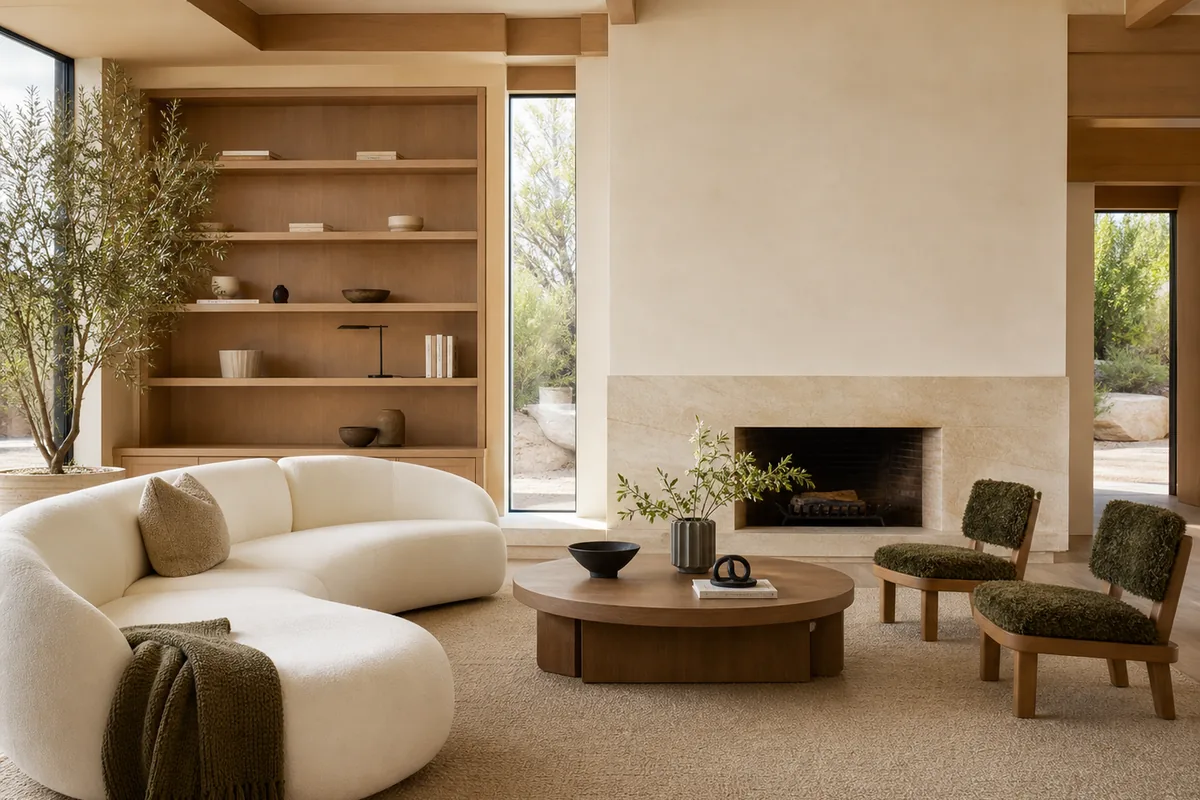
From inspiration to a visible direction
See an interior idea in context before you buy anything.
Mood boards cannot show how a style will feel with your windows, proportions and point of view. An AI interior design preview puts the idea into your room photo, making it easier to compare warm modern, Japandi, Scandinavian, coastal and more expressive directions.
Your real room
Use a living room, bedroom, kitchen, bathroom, dining room, home office, hallway or kids' room photo instead of a generic template.
12 clear styles
Explore Quiet Modern, Soft Minimal, Japandi, Scandinavian, Organic Modern, Mediterranean, Coastal, Mid-Century, Art Deco and more.
A recognizable shell
Choose to preserve the room structure so openings, perspective and the main architectural boundaries remain familiar.
What to explore
What can an AI interior design app help you explore?
Use generated images to compare a direction and communicate an idea. Keep measurements, specifications and final decisions in the real-world planning process.
- A complete style direction before a room refresh
- Furniture, material and lighting combinations in context
- Alternative looks for a living room, bedroom or kitchen
- A visual brief to discuss with family, a designer or contractor
- Early ideas before measuring, sourcing and budgeting
How it works
From one photo to a useful visual shortlist.
Photograph the whole room
Use a level, well-lit photo that shows the floor, walls and major openings. A wide view gives the model more spatial context.
Choose the design direction
Select the room and a style, then add a short instruction about the furniture, colors or features that matter most.
Generate, compare and refine
Save useful concepts and try focused tools for paint, flooring, layout or object replacement when you want a more specific change.
Better input, better comparison
Practical photo and planning tips
- Keep the camera straight and avoid extreme wide-angle distortion.
- Mention anything that must remain, such as a sofa, fireplace or built-in.
- Generate more than one direction; AI concepts work best for comparison.
- Verify dimensions, materials, costs and buildability before purchasing.
Questions, answered
What to know before you visualize.
Can AI redesign my room from a photo?
Yes. Upload a clear photo, choose a room type and style, and Room Style AI creates a redesigned concept based on that image.
Which interior styles are available?
The app includes 12 directions, including Japandi, Scandinavian, Organic Modern, Mediterranean, Coastal, Mid-Century, Art Deco and Modern Rustic.
Can I ask the AI to keep existing furniture?
You can add instructions about items that should remain. Because the result is generated, review the image rather than treating preservation as a technical guarantee.
Is the first AI interior design free?
Room Style AI is free to download and includes one complimentary visualization. No account is required to start.
Keep exploring
More ways to visualize your home.
See the direction before you commit.
Download Room Style AI and create your first visualization free. No account required.
Try Room Style AI free